Habitat Mechanics Guide
Everything about how Pokemon spawn, why some habitats stay empty for days, how comfort really works, and how to get your lost Pokemon back.
Spawn Timing — Patience is Part of the Game
Pokemon do not spawn instantly when you build a habitat. This is the most common source of player frustration. Based on community testing, spawn timing follows these patterns:
- Story-required Pokemon (those tied to the main quest) tend to spawn quickly, often within the same play session or the next day.
- Optional Pokemon can take anywhere from a few hours to several days. Waiting 2–3 days for a new spawn is normal and not a bug.
- Rare Pokemon have significantly lower spawn rates. If a Pokemon has not appeared after a week, try creating a second identical habitat to improve odds.
- Real-time mechanic: Pokemon will not spawn faster by staying online. The game uses real-world time for spawn cycles, similar to Animal Crossing.
Habitat Spacing — The 9-Space Rule
Multiple players have reported that Pokemon stop spawning when habitats are placed too close together. Community testing suggests a roughly 9-block proximity rule:
- Two habitats placed within ~9 blocks of each other may interfere with each other's spawn cycles.
- If you have 4+ empty habitats all clustered together and nothing is spawning, spread them out.
- This also applies to habitats from different Pokemon lines. A Growlithe habitat and a Vulpix habitat too close together can both fail to spawn.
Habitat vs. House vs. Den — What is the Difference?
This is the most commonly misunderstood aspect of Pokopia. Here is the definitive breakdown based on community testing:
Outdoor Habitat
- • Raw environment counts (Bright, Warm, etc.)
- • Furniture placed outside adds to comfort
- • Comfort takes ~15 minutes to update after changes
- • Wider variety of spawn conditions
- • Easier to have multiple Pokemon share space
Prefab House
- • Overrides outdoor environment parameters
- • Faster comfort scaling with furniture
- • Comfort updates nearly instantly
- • Higher baseline happiness
- • Easier to manage for beginners
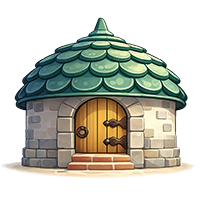
DIY Block House
- • Built with raw blocks, a door, and furniture inside
- • Counts as a habitat (not just a decoration)
- • 3 furniture minimum needed for Pokemon to move in
- • More flexible than prefab but same function
- • Can be made in any environment
Habitat Clues — What They Mean
Pokemon sometimes leave "habitat clues" that point toward other Pokemon. These can be purchased at the PC and are color-coded:
- Clue colors are tied to grass/floor tile types, not the Pokemon type itself.
- Follow the clue color to identify which grass tile the target Pokemon prefers.
- The clue system is primarily for guiding you to story-required Pokemon. Optional spawns may not have clues.
- If you have no clues left but still have empty habitats, Pokemon may still spawn randomly over time.
Lost & Homeless Pokemon — Recovery Guide
If a Pokemon disappears after you destroyed their habitat, here is the recovery order from fastest to slowest:
Check the Pokemon Center — Homeless Pokemon often gather at the PC. Look for Pokemon with orange icons or dialogue asking about housing.
Run around every habitat you built — Pokemon can spawn in a habitat you forgot you made. Check all tall grass, ponds, and cave areas.
Use Pokemon with Teleport or Fly — These Pokemon can reach elevated or remote areas your character cannot easily access.
Wait for daily reset — After the daily island refresh, all homeless Pokemon become available at the PC again. This is not instant but usually resolves the issue within 1 day.
Rebuild their habitat — If a Pokemon has no habitat, rebuild the correct habitat type. They will usually return within 1–2 days.
Spawn Not Working — Checklist Before You Panic
Before posting "my habitat is broken", work through this checklist based on real community solutions:
- Did you wait at least 1 full real-world day? Habitats are not instant.
- Is another Pokemon already living in that habitat type? Each habitat type can only attract one Pokemon at a time.
- Are there any Pokemon elsewhere on the island without a home? Unhoused Pokemon can block new spawns.
- Is the habitat too close to another habitat (~9 blocks)? Try moving it.
- Is the Pokemon part of the main story? Some Pokemon require story progression before they can spawn.
Pro Tips from Community Testing
- DIY houses with a door, floor, and 3+ furniture count as valid habitats. Use this to create custom environments anywhere.
- Fireplace counts as stone furniture. Growlithe asking for stone items can be satisfied entirely with fireplaces.
- Items placed around the outside of a prefab house DO count toward comfort. A vanity near a habitat outside can satisfy a Pokemon's request.
- When a Pokemon asks for a specific flavor of food, check their dialogue for Sweet / Dry / Bitter / Sour / Spicy hints.
- You can have multiple identical habitat types (e.g., two tall grass habitats) which increases the odds of a Pokemon from that line spawning.
Quick Reference: Habitat Requirements
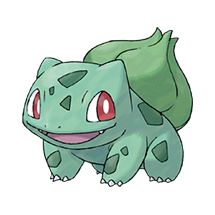
Bulbasaur
Townside · Palette Town
Requirements
- Nature theme furniture x2
- Comfort 35+
Also appears in Withered Wastelands, Bleak Beach, Rocky Ridges, Sparkling Skylands, and Cloud Island.
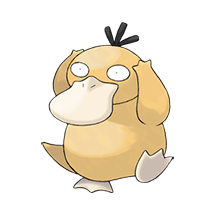
Psyduck
Lakeside · Bleak Beach
Requirements
- Water theme furniture x3
- Comfort 50+
Also appears in Withered Wastelands, Rocky Ridges, Sparkling Skylands, Palette Town, and Cloud Island.
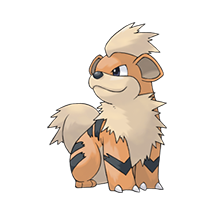
Growlithe
Volcanic · Rocky Ridges
Requirements
- Warm theme furniture x2
- Comfort 60+
Also appears in Withered Wastelands, Bleak Beach, Sparkling Skylands, Palette Town, and Cloud Island.
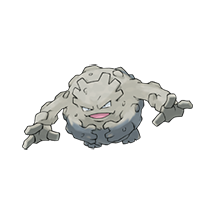
Machop
Highland · Palette Town
Requirements
- Sturdy furniture x2
- Comfort 55+
Exclusive to Palette Town and Cloud Island. Reliable worker option for early construction teams.